Analyzing User Paths: How People Actually Navigate Your App
Map User Journeys and Optimize App Flows with Real-Time Insights
March 7, 2026
Jump to section
User journeys are the sequence of screens and events a person follows inside your app; mapping them reveals where users drop off, loop, or convert.
Visualizing and comparing real paths against the designed flow quickly surfaces friction and high-impact fixes to improve retention and conversion.
Understanding user paths is essential because it turns behavioral noise into prioritized product work: detect the 2–3 screens that cause 60–80% of exits and fix them first.
Teams that instrument paths reduce time-to-insight from weeks to hours by combining session-level traces with aggregated funnels.
This article explains practical visualization techniques, the concrete data to collect, and a step-by-step React Native integration using Vexo so developers and Product Managers can ship focused improvements.
Why Map User Paths in Mobile Apps?
Mapping paths locates exact screens and events where users abandon flows so you can target fixes with measurable impact. A single path visualization often reveals 2–4 non-obvious loops per high-volume funnel that are invisible in aggregate metrics.
Product teams gain quantitative signals and session context: aggregated funnels show conversion rates while session traces show loops and repeating events for the same user.
Use session traces to link a 10–20% funnel drop to a specific screen render error, long network latency, or confusing CTA placement.
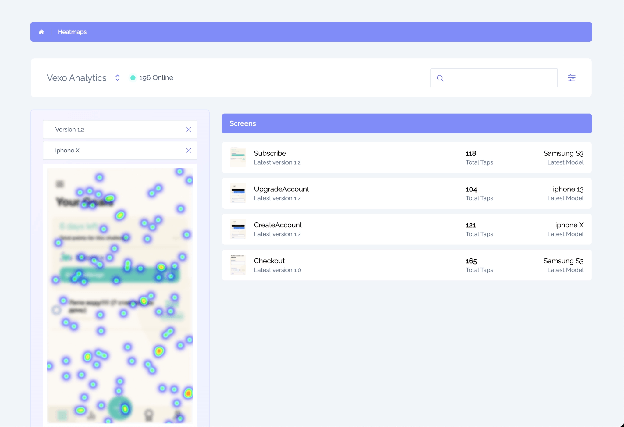
Real-time path analysis shortens the feedback loop: instrumented events let you detect regressions within minutes instead of waiting for daily reports. Platforms that offer real-time visualization plus historical aggregation support both incident response and longitudinal optimization.
How to Visualize Journeys: Diagrams and Techniques
To visualize user journeys, it's crucial to combine three types of diagrams that offer a complete view of user interactions within the app:
- Sankey charts: These reveal branching percentages between screens, allowing teams to see how users navigate from one screen to the next.
- Funnels: These show conversion rates at each step, helping identify the steps where users are lost and need optimization.
- Session replays: These provide the qualitative context behind any drop in the user flow, allowing you to see the exact actions the user performed.
Instrumentation at Two Levels
It's important to instrument events at two levels to gain both broad and specific visibility into the user's actions:
- Automatic screen events: These include
screen_openandscreen_close, and they help track transitions between screens without requiring extra implementation. - Custom events: These could include
checkout_startandpromo_click, providing deeper insights into user interactions at specific points in the app.
This dual-level instrumentation allows you to pivot between general (coarse) and detailed (fine-grained) views, offering a more complete understanding of user behavior.
Adding Time and Cohort Filters
To refine your visualizations, it's essential to annotate them with time and cohort filters:
- Filter by acquisition cohort: View paths for users from different acquisition sources (e.g., users from paid campaigns vs. organic).
- Filter by device OS version and session duration: Analyze the paths according to users' devices or session lengths to identify specific patterns.
These filters allow you to find specific issues that may not be visible in aggregate data, such as regressions introduced by new app releases or changes in third-party SDKs.
Implementing Path Analysis in React Native with Vexo
To implement path analysis in your React Native app using Vexo, follow these steps:
Step 1: Install the Vexo SDK
Begin by installing the Vexo React Native SDK and enabling automatic screen tracking. This ensures minimal code changes while tracking user interactions. You will need your API key and an environment flag (production or staging) to complete this setup.
Step 2: Define Event Types
Instrument the following key event types:
- Screen views: Track the screens users visit.
- User intent: Measure interactions where users actively express intent (e.g., checkout_start, promo_click).
- Error/exception events: Capture issues and bugs (e.g., network errors, UI rendering failures).
Step 3: Label Events for Accuracy
For each event, ensure you label it with the following details:
- user_id: Unique identifier for each user.
- session_id: Unique identifier for each session.
- timestamp: The time when the event was triggered.
Step 4: Validate & Test
Run 50–200 QA sessions across different devices and operating system versions. Confirm that session IDs persist correctly through background/foreground transitions, ensuring accurate event tracking across different app states.
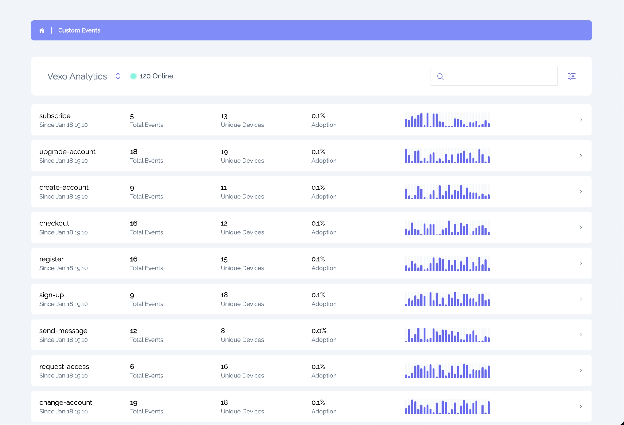
Step 5: Export Session Traces
Export real session traces to confirm that the screen order is accurately reconstructed. Make sure the session traces match the on-device behavior you observe during testing.
| Step | Action | Details |
|---|---|---|
| 1. Install SDK | Install Vexo SDK and enable automatic screen tracking | Integrate SDK with minimal code changes |
| 2. Define Events | Instrument event types: screen_view, user_intent, error | Track user behavior and errors |
| 3. Label Events | Include user_id, session_id, and timestamp | Ensures precise event stitching |
| 4. Validate | Run 50-200 QA sessions across devices | Confirm session ID persistence |
| 5. Export | Export session traces to verify screen order | Match traces to on-device behavior |
Key Metrics to Track for Flow Optimization
To effectively optimize your app's user flow, it's essential to track several key metrics that will guide your prioritization efforts.
Conversion rate per funnel step and step-level drop-off percentage are the primary numeric signals for prioritizing fixes. Track:
- Absolute counts (users reaching the step)
- Conversion percentage
- The relative contribution of that step to overall funnel loss
Time on screen and time-to-complete-task identify friction:
- Measure median time and the 95th percentile (p95) to find long-tail delays caused by network or rendering issues.
- Use median for typical user experience and p95 for worst-case experiences affecting a minority but creating significant drops in conversion.
Screens-per-session, session frequency (DAU/MAU), and successful completion rate are core retention and engagement metrics you should correlate with path variants. Correlating path variants with DAU/MAU changes reveals which navigation patterns predict long-term retention.
Tools and Platform Choices for Real-Time Path Monitoring
Vexo offers real-time path visualizations, session traces, and funnel reports for React Native apps. With Vexo, you can instantly visualize user journeys, track sessions, and analyze funnels with minimal setup. Start with a free account to begin monitoring paths immediately.
Unlike other platforms, Vexo provides everything you need in one place, ensuring fast insights and easy optimization without third-party tools.
| Tool | Primary Strength | Best For |
|---|---|---|
| Vexo | Real-time path visualization + session traces + zero-code setup | React Native teams needing immediate path-level debugging |
| Firebase | Scalable event model + cross-platform attribution | Apps needing unified analytics with Firebase ecosystem |
| Amplitude | Advanced funnel analysis + behavioral cohorts | Teams focused on product experimentation |
| Mixpanel | Behavioral cohorts + advanced funnel analysis | Teams optimizing user behavior and retention |
Real Optimization Examples and Quick Wins
Example 1 — Checkout Funnel
To optimize the checkout flow, replace a 3-field address form with an autofill-enabled single field to reduce manual entries and simplify the process. After the update, measure conversion rates and p95 completion time at each checkout step to confirm the improvement.
Using Vexo's session traces, verify that users no longer experience issues that cause them to loop back to the address screen.
Example 2 — Navigation Loops
Detect repeated navigations between Screen A and Screen B by analyzing session traces from Vexo. Add a conditional deep-link or state-preserving fix to prevent redundant reloads.
Prioritize fixes for problems that appear in at least 5% of sessions within a key user cohort or account for more than 10% of funnel loss.
Example 3 — Release Regression
When you notice a drop in conversion after a release, filter paths by app version using Vexo's path visualization. Compare the top 10 user paths before and after the release to identify any divergent screens.
Apply quick rollbacks or targeted patches within 24–48 hours based on the session data to recover conversion.
Best Practices for Visualizing User Journeys
Standardize event names and taxonomy across platforms before collecting data so path visualizations remain consistent and easy to query. A consistent naming convention reduces mapping errors and saves analysis time.
Capture context attributes on each event: include app version, device OS, network type, and screen resolution to filter noise and surface platform-specific regressions.
These attributes let you detect issues that affect only a small percentage of users but generate outsized churn. Instrument guardrails: log the reason for navigation when possible (user_action, deep_link, system_back) so path analysis distinguishes intentional navigation from accidental loops.
Conclusion: Optimize Your User Journeys Today
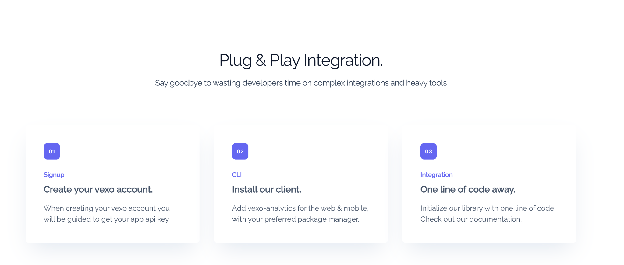
Mapping user paths is key to boosting retention and conversion. By identifying friction points, you can prioritize impactful fixes that drive results. Start now with Vexo: enable screen and custom events, capture session traces, and visualize paths in under 48 hours.
Run weekly path reviews with your team to quickly iterate and improve your product. Start optimizing with Vexo today and see measurable improvements fast.
Frequently Asked Questions
How do I start visualizing user journeys without adding heavy instrumentation?
Begin with automatic screen tracking and a small set of high-value custom events (3–6 events) to reconstruct core funnels; expand instrumentation after you validate the signal quality. This approach reduces implementation time and delivers early insights without full-scale tagging.
Which events are mandatory to reconstruct reliable paths?
Capture screen_view, navigation_reason (user_action/deep_link), primary conversion events (e.g., purchase_start), and error events; attach user_id and session_id to each event for stitching. These fields ensure paths are reconstructable and traceable back to sessions.
Can path analysis work with server-driven navigation and deep links?
Yes, log navigation events emitted by the server include deep_link metadata so the path trace shows screen transitions triggered remotely; test across cold starts and background resumes. Server-driven flows require explicit events at handoff points to remain visible in client-side traces.
How does path analysis affect privacy and data regulations?
Collect only pseudonymized identifiers (hashed IDs) and avoid sending PII; implement user opt-out and retention rules consistent with GDPR and CCPA and document them in your data processing agreement. Many analytics platforms offer built-in controls for data retention and PII filtering—enable those features by default.
