What Are Rage Clicks? Identifying Frustration in Your App
Turn User Frustration Into Actionable Evidence
March 10, 2026
Jump to section
You've seen this meeting. The product thinks the flow works. Engineering can't reproduce the bug. Support keeps escalating complaints, and analytics shows drop-offs without explaining what actually happened.
Teams end up debating hypotheses and spending days trying to recreate something a user experienced in three seconds. Meanwhile, conversions fall, tickets rise, and confidence in releases erodes.
Here is the uncomfortable truth: users already told you what is broken. They tapped it three times. Rage clicks are rapid repeated taps—typically three or more taps on the same UI target within one second—that signal an intent breakdown and a UX failure.
Operationally, when rage clicks exceed 0.5% of daily sessions, teams should treat it as a production signal, not a curiosity.
What is a Rage Click and Why is it the Definitive Frustration Signal?
A rage click happens when a user expects something to occur and nothing happens. The most common working definition is three or more taps on the same element within about one second, followed by no successful response.
It is powerful because it isolates intent. The user clearly asked for change and the system failed to deliver. That makes rage clicks one of the highest-confidence indicators of task failure available in product telemetry.
Under the hood, they usually come from three mechanical realities:
- Dead taps → the element has no handler
- Blocked responses → the system is waiting on network or the main thread
- Frozen UI → something happened, but the screen didn't update
Why Teams Struggle to Fix Them
Most organizations detect drops, not causes. They see conversion decline, abandonment, and retries, but rarely the experience that produced them.
Without visual evidence, investigations become guesswork. Teams speculate about latency, permissions, device versions, or backend instability. Hours disappear before anyone is even confident they are chasing the right problem.
This is exactly where modern tooling like Vexo changes the equation by attaching replay, touch context, and UI state directly to the event. Instead of debating possibilities, teams watch reality.
Why Rage Clicks Matter to Product, Engineering and Business
Rage clicks sit at the intersection of experience and revenue. When they appear inside critical journeys, their impact propagates quickly through the business.
- Conversion declines
- Support tickets increase
- Churn risk rises
If more than 1% of users hit rage clicks in a purchase step, the damage is usually visible within days.
They also create engineering instability. Unresolved frustration compounds into repeated incidents, emergency patches, and slower releases. Teams that prioritize flows generating more than 0.5% of total rage volume consistently report fewer regressions and calmer on-call rotations.
A Quick Real-World Example
A team detects rage clicks on a checkout button. Nothing obvious appears in logs. Payments are technically processed.
Replay, however, reveals the issue immediately: the button looks active, yet remains disabled for roughly two seconds after the first tap. Users tap again and again because the interface provides no feedback.
The fix is straightforward. Adjust the state transition and introduce visible loading confirmation. Result after one week:
- Rage clicks ↓ 63%
- Checkout completion ↑
- Support contacts ↓
No heroic debugging. Just visibility.
How to Detect Rage Clicks in Mobile Apps
Start simple. If a user taps the same element three times in a second and nothing good happens afterward, you likely have frustration. A practical baseline rule:
taps ≥ 3 in 1s + no success event within ~500ms
That alone will catch most real issues. From there, advanced teams refine by:
- Ignoring known multi-tap gestures
- Excluding toggles
- Adjusting time windows per flow
False positives can be reduced with UX protections like button debounce, but perfection is not required. A high-confidence signal is far more valuable than theoretical precision.
How Visual Context Collapses Investigation Time
Seeing the screen removes most of the uncertainty that dominates incident response. When replay and event timelines are available, responders can immediately understand what the user tapped, what the interface showed, and which system reactions followed.
Once evidence is unified, diagnosis that previously required days of reconstruction often happens in minutes. Many teams observe that visual context converts multi-day hunts into same-day fixes, dramatically improving MTTR in mobile environments.
How to Prioritize What to Fix First
Not all rage clicks deserve the same urgency. A practical method is combining frequency, revenue proximity, and user importance.
If something breaks payments for high-value customers, it jumps the queue even if occurrence is limited. High-frequency, low-impact issues follow because they generate operational noise.
Simple prioritization models outperform complex ones, and they can evolve over time.
Where Vexo Fits in the Workflow
Most teams understand rage clicks are important. What they typically lack is the infrastructure to capture, unify, and interpret the signal without stitching together multiple tools or building internal pipelines.
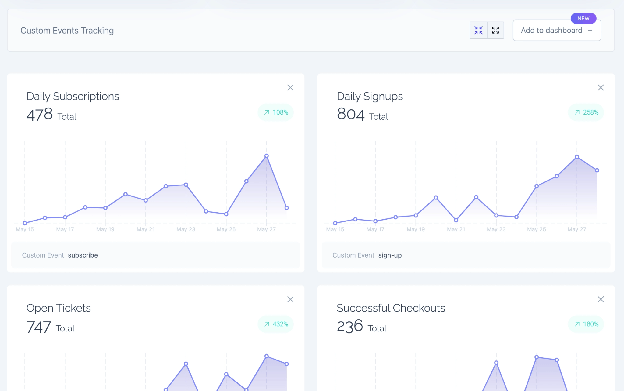
Vexo centralizes the critical layers of frustration analytics into a single system, so responders can move from detection to evidence in minutes instead of hours.
| Capability | What it Captures | Why it Matters |
|---|---|---|
| Touch sequences | Raw gestures, tap repetition, element interaction patterns | Confirms intent and validates whether the user retried due to missing feedback |
| Session replay | Visual reconstruction of the user journey | Eliminates guesswork and removes dependency on reproduction |
| Funnels | Step-by-step progression and abandonment points | Shows exactly where frustration affects conversion |
| Error correlation | Network failures, crashes, latency around the interaction | Connects UX symptoms with technical root causes |
By having these components available immediately, teams can shift the conversation away from speculation. Instead of asking what might have happened, they focus on what needs to change.
Continuous Improvement
Each release should include a quick scan for new frustration hotspots. Teams should trend metrics month over month, document what was fixed, and push those learnings back into the design system and development practices.
Over time, a powerful shift happens. The same issues stop reappearing sprint after sprint. Engineers spend less time rediscovering known failures, and institutional memory grows stronger with every cycle.
Instead of recurring incidents, teams build momentum. Organizations that operationalize this rhythm reduce regression, accelerate learning, and ship with greater confidence because they know problems are being eliminated, not recycled.
Final Synthesis
Rage clicks transform invisible frustration into objective, actionable evidence. They connect UX breakdowns with conversion, churn, and operational cost in terms that resonate across engineering and leadership.
By starting with simple detection, enriching signals with visual context, and validating through cohorts, teams build a repeatable system for improving both experience and reliability.
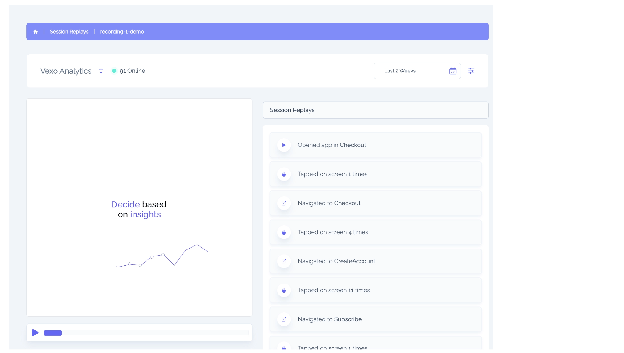
Platforms like Vexo make this achievable without heavy integration work, compressing what once required weeks of tooling into immediate visibility. When evidence becomes instant, improvement becomes inevitable.
If you want to see where frustration is hiding inside your app, you can start today. Install Vexo, capture your first sessions, and move from assumptions to proof in minutes.
Frequently Asked Questions
Are rage clicks always a bug?
Not necessarily, but they almost always indicate a mismatch between user expectation and system response. Sometimes the backend is working correctly and the action will complete, yet the interface fails to communicate progress or success. Both scenarios deserve attention because users do not differentiate between a crash and silence.
What is a good rage click rate?
For most consumer and B2B mobile products, teams begin investigating when rage clicks exceed around 0.5% of sessions in a day. Once the metric approaches or surpasses 1% in critical flows such as onboarding or checkout, impact is usually visible in conversion, retention, and support demand.
How are rage clicks different from normal repeated taps?
Intentional multi-taps typically produce progress or state change. Rage clicks happen when repetition is driven by lack of feedback. By combining tap density, timing, and absence of a success event, teams can separate legitimate rapid interactions from frustration patterns with high confidence.
Can small UX improvements really reduce rage clicks?
Yes, and often dramatically. Many rage clusters are solved not by rewriting infrastructure but by improving feedback loops such as loading indicators, disabling states, clearer affordances, or faster transitions. Visibility frequently reveals that users are confused rather than blocked by catastrophic failure.
Do rage clicks help reduce MTTR?
They do because they shorten the path from symptom to evidence. When responders can watch the exact interaction that triggered frustration, reproduction becomes trivial or unnecessary. This eliminates long diagnostic cycles and allows teams to move directly toward remediation.
Can rage clicks predict churn or dissatisfaction?
Repeated frustration across multiple sessions is a strong leading indicator of disengagement. Users who continuously fail to achieve intent are more likely to abandon tasks, open tickets, or switch to alternatives. Tracking these patterns enables earlier intervention before revenue impact becomes visible in lagging metrics.

